Crawling
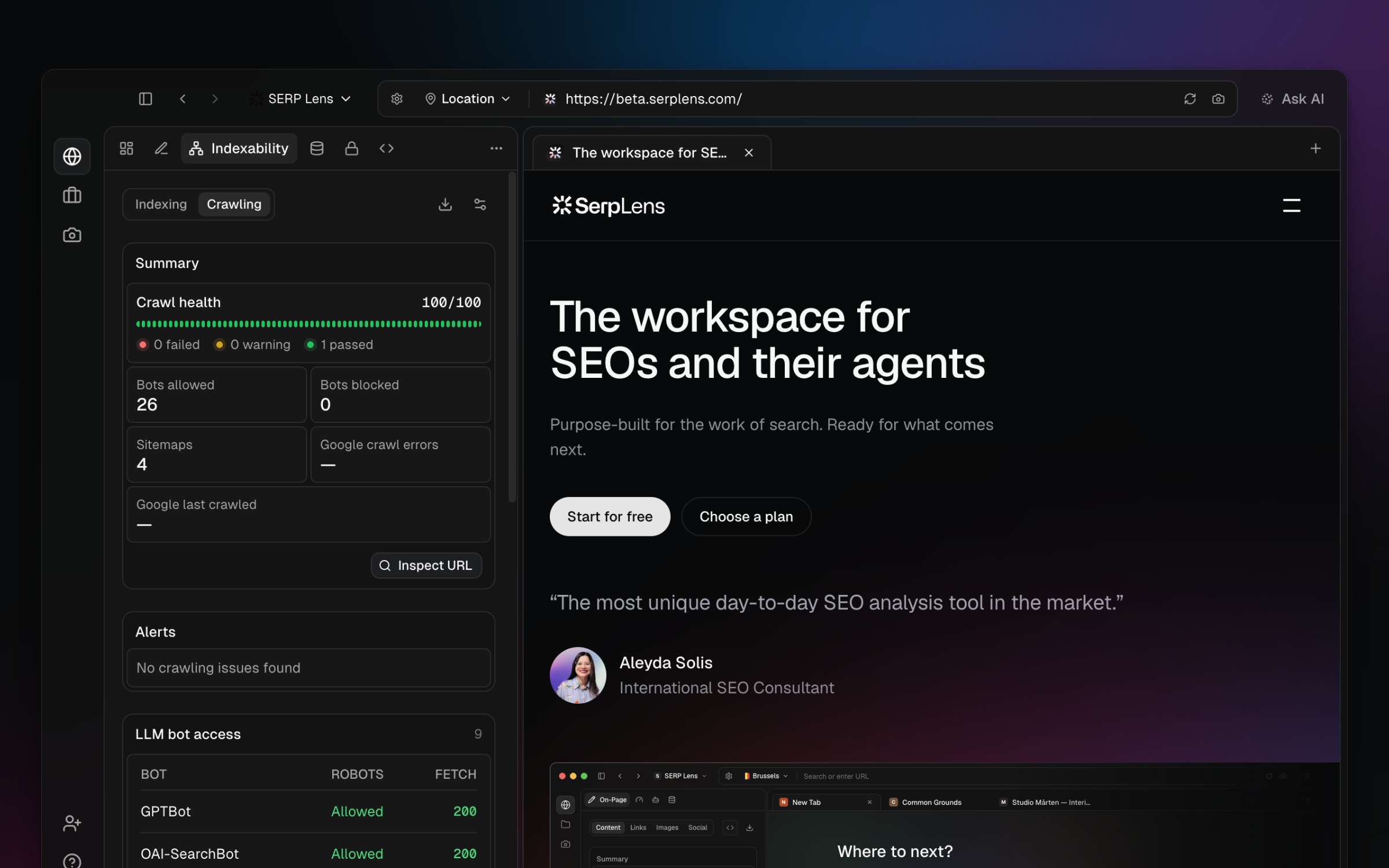
Inspect crawler access and robots.txt behavior in the Crawling tab of the Indexability panel.
Open Indexability → Crawling for the active page. The tab combines its robots.txt result with access information for search and AI crawlers.
Robots.txt result
SERP Lens fetches the origin's robots.txt and evaluates its rules for the listed crawlers. The bot table shows the access state and available rule details.
Do not interpret every robots.txt request failure as the same result:
- Not found and other qualifying 4xx responses — treated as no blocking robots.txt rule.
- Server errors, rate limits, or an unreachable file — treated as uncertain rather than as confirmed access.
- Valid file — evaluated against the applicable user-agent group and path rules.
The crawler catalog can change. Use the names shown in the panel rather than a saved list.
Bot access
The tab presents search and AI crawler access in tables. Expand a row to see its matched rule and supporting response information.
A robots.txt allowance does not prove that a crawler can load the page. Authentication, a WAF, a CDN, rate limiting, DNS, or the origin server can still prevent access.
Review process
- Confirm that the panel is analyzing the intended origin and path.
- Open the site's robots.txt and find the matching user-agent group.
- Review both the allowed/blocked result and any uncertain fetch state.
- Test server behavior with the relevant user agent when a firewall or CDN could differ.