Analysis panels
Find the SERP Lens analysis panels and the tabs grouped inside each one.
Open the content panel in the browser to analyze the active page. Press Cmd B on macOS or Ctrl B on Windows to collapse or restore it.
Panel structure
| Panel | Nested tabs or focus |
|---|---|
| Overview | Page summary |
| Alerts | Findings that need attention |
| On-Page | Content, Links, Images, and Social |
| GSC | Search Console performance and indexing |
| Page Speed | Web Vitals, timing, resources, and attribution |
| Schema | Structured data |
| JavaScript | Raw and rendered page comparison |
| Compliance | Security and accessibility |
| SERP | Search features and results |
| Indexability | Indexing and Crawling |
| AI Search | Visibility and citation analysis |
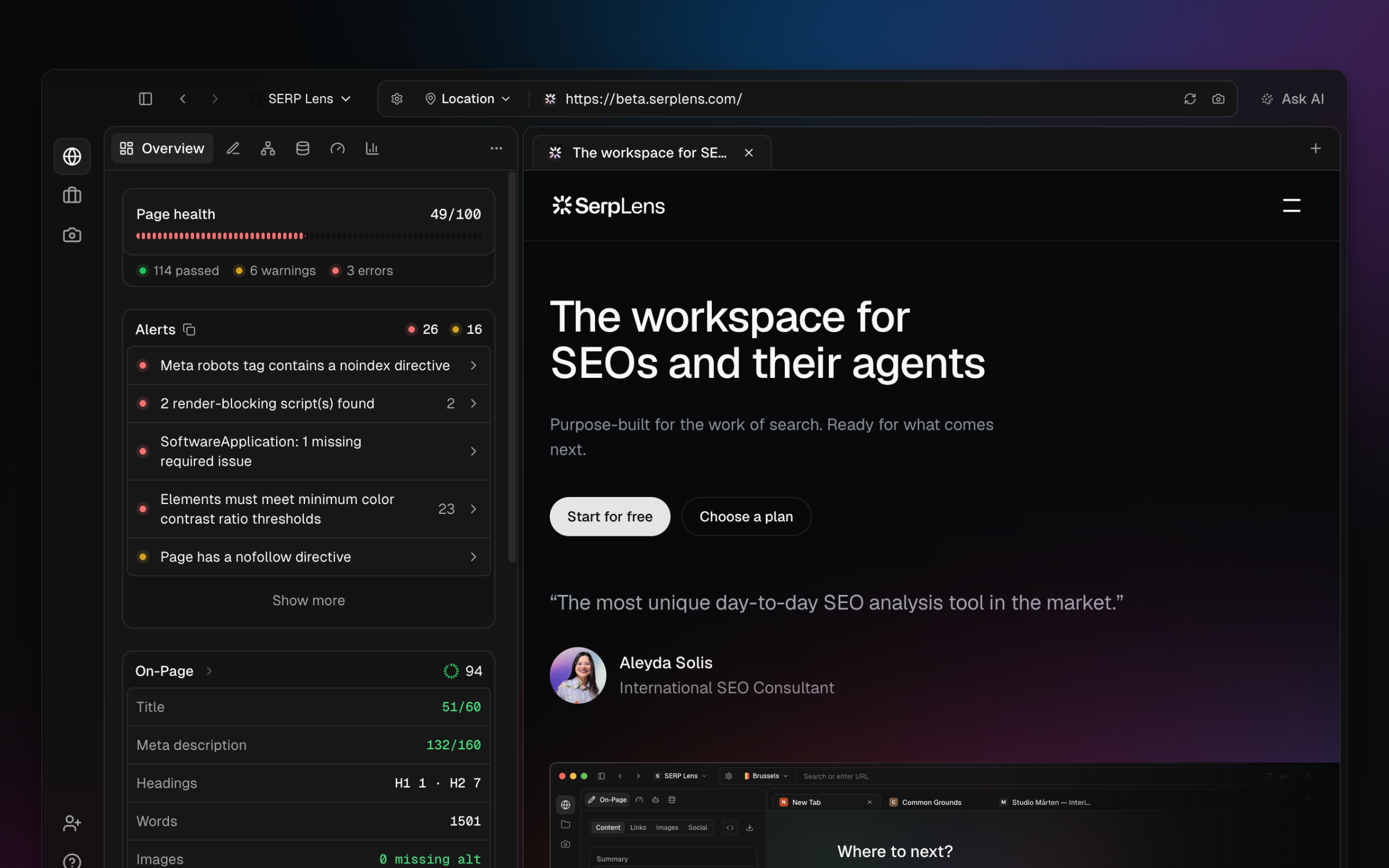
The On-page, Links, Images, Social, Indexing, Crawling, and Structured Data guides describe the tabs grouped inside these panels.
Context and access
Panels use the active page. A search-result page can open a SERP-specific view, while a normal page opens its general analysis. GSC requires a connected account and matching property. Other panels can show a plan gate when the active team does not have that capability.
Refresh analysis
Navigate or reload the page to run a new page analysis. Some external or integration data has its own refresh action and can arrive after the local page analysis.