On-page analysis
Review content, links, images, and social metadata in the On-Page panel.
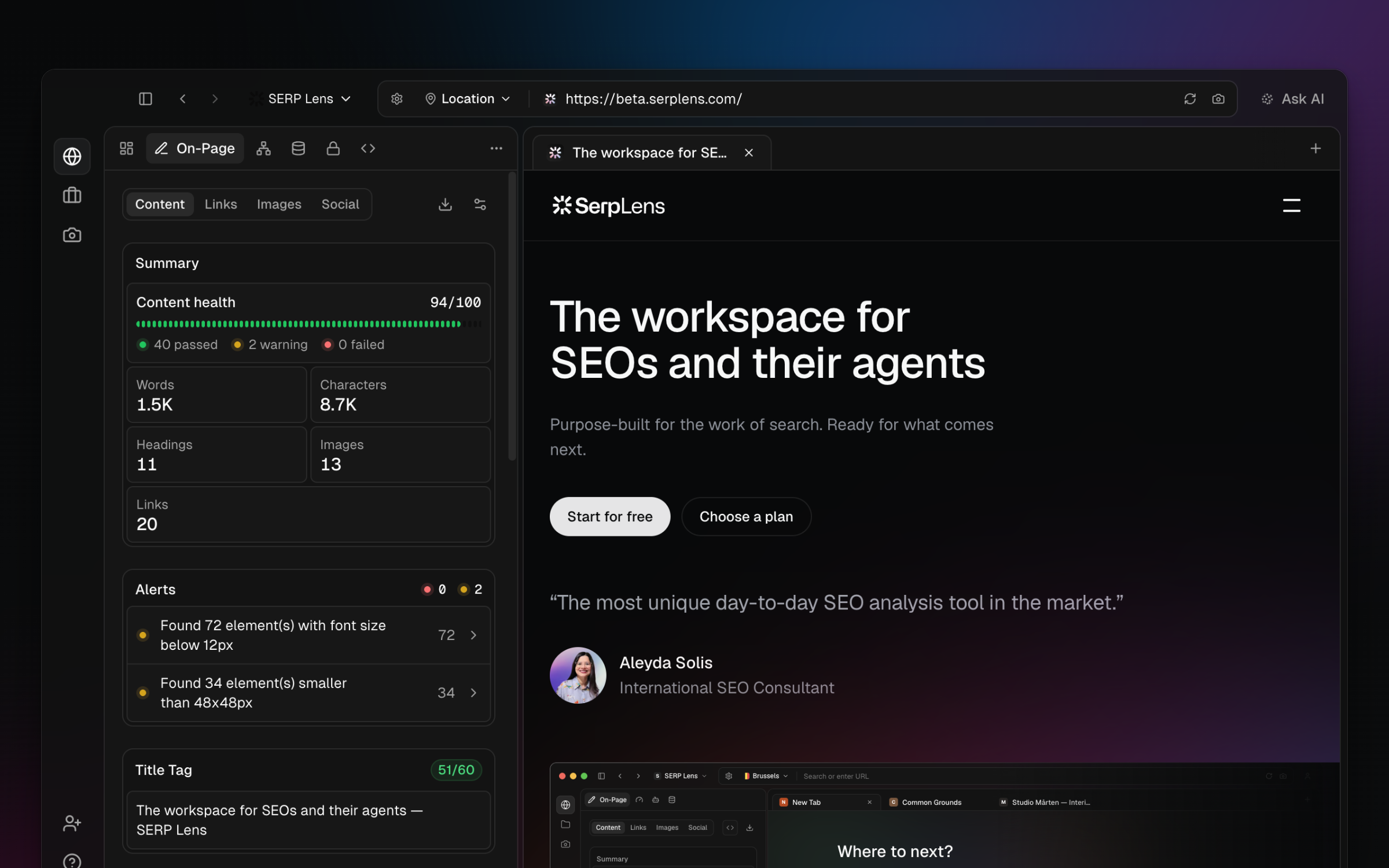
On-Page is a grouped panel with 4 tabs: Content, Links, Images, and Social. It updates for the active page.
Content
The Content tab combines page metrics and content findings. Depending on the active team's capabilities, it can include:
- Summary — score, word and character counts, headings, images, and links.
- Title and description — text, length, and related findings.
- Headings — hierarchy, depth, and heading-level issues.
- Alerts — findings produced by the current page audit.
- Keyphrases and readability — analysis shown when the corresponding capability is available.
Open a heading or AI action to inspect a specific issue further.
Links, images, and social
- Links — internal, external, follow, nofollow, and available status information.
- Images — alt text, dimensions, oversizing, and lazy loading.
- Social — Open Graph and Twitter metadata with supported previews.
See Links, Images, and Social for each tab's fields and checks.
Raw and rendered data
Use the separate JavaScript panel to compare the source page with its rendered output.